A podcast where you join me (Colie) as I chat about what it takes to grow a sustainable + profitable business.
Business-First Creatives Podcast
CRM Guru, Family Filmmaker, and Host of the Business-First Creatives podcast. I help creative service providers grow and streamline their businesses using Dubsado, Honeybook, and Airtable.
Hey, I'm Colie



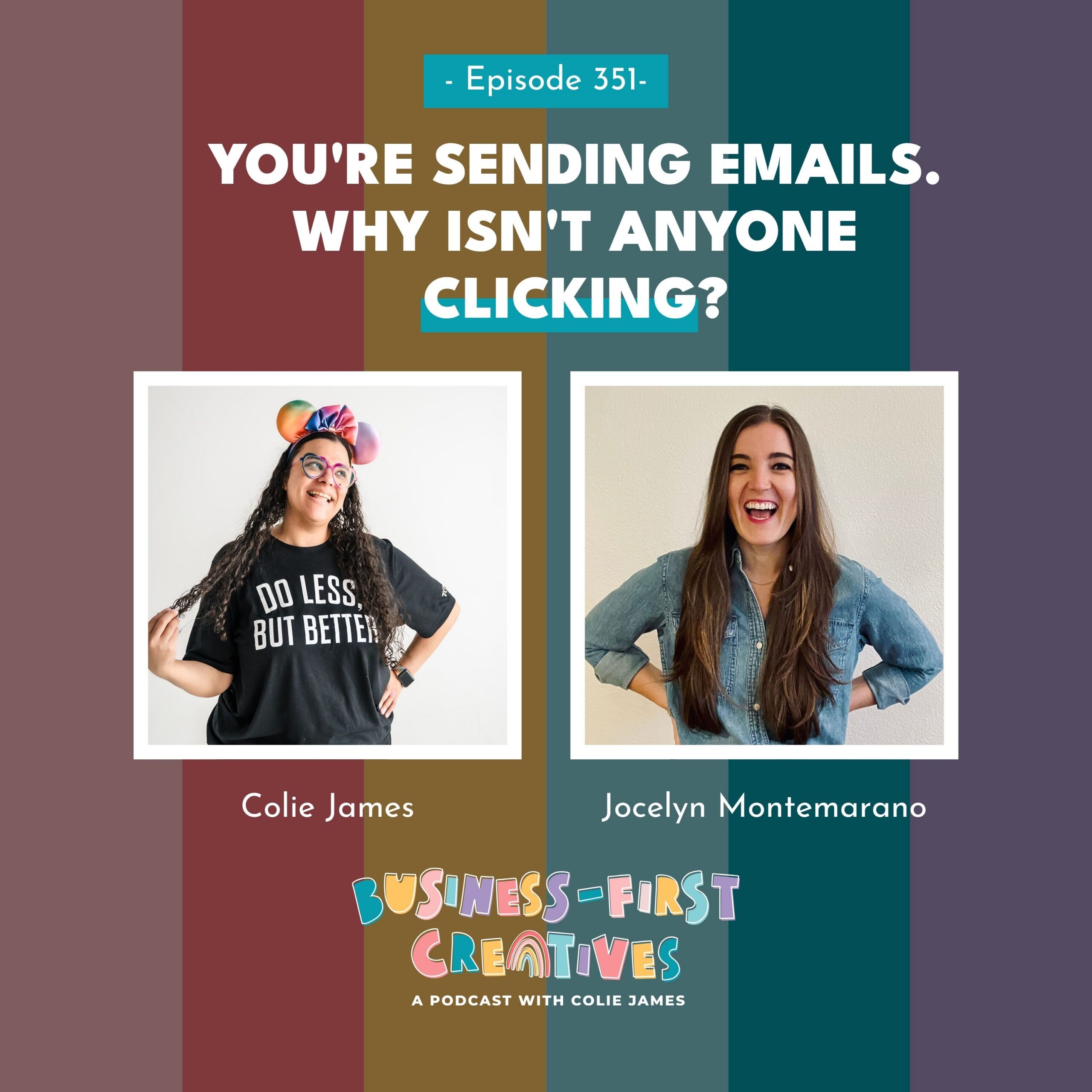
Jocelyn lives about 20 miles from me, and after more than four years of working together, we still haven’t hugged in person. She helped me launch this podcast. Now she’s the reason I’ve gone full AI-coding nerd, and the reason I’m finally figuring out why my emails aren’t converting, even though I send a lot of them. She came on to talk about proof, voice notes, and the app she built for herself that ended up changing how I write every email I send.
Listen to the Episode
What You’ll Learn in This Episode
- Why sending lots of emails doesn’t mean you’re selling through email, and what’s usually missing when your click rates are in the toilet
- The kind of client proof most service providers skip (hint: it’s the small wins, not the big final results) and how to start collecting it
- How a miserable afternoon writing emails in an airport lounge led Jocelyn to a voice-note-first way of writing
- How to keep AI-assisted emails sounding like you, including the exact adjustment I make when a draft comes back too polished
- Why “anyone can build anything with AI” doesn’t mean what they build is any good, and what separates a tool that works
- How to stop hunting for testimonials in a Google Drive folder full of files named “Screenshot”
The Podcast That Started It All (in Under Three Weeks)
I met Jocelyn more than 4 years ago in Jordan Gill’s Done In a Day program, back when she ran a VIP day for getting your podcast published. I’d been sitting on the idea for this show for what felt like forever, so I showed up ready to go.
I asked how long it would take. She said the goal was usually six to eight weeks.
I said three.
If I could have published it that Friday, I would have. She told me I’d need more time. It took less than three weeks. (Sorry, Jocelyn. Not sorry.)
That’s the energy I bring to most things, and it’s the same energy that had me building an app in 12 hours after watching what she built. But we’ll get there.
Why Case Study Episodes Crushed Everything Else
When Jocelyn was building podcast strategies for her clients, every show had three kinds of episodes: educational episodes, guest interviews, and case study interviews with clients.
The case study episodes were the highest converting, every time.
And the clients who had those episodes started writing really good emails, because they suddenly had a pile of real results to pull from. Meanwhile, the people she was helping with email who didn’t have a podcast had nothing. No screenshots. No testimonials. No early wins.
Her reaction, more or less word for word, was that of course their content wasn’t converting. There was no proof backing up anything they said.
The Small Wins Count Too
This is the part I think most of us get wrong. We wait for the big, shiny, twelve-months-later result before we share anything.
Jocelyn is a big advocate for progress results. Week one wins. Month one wins. Small implementation wins. The more proof you can show for each part of your offer, the more believable the whole offer becomes.
That’s what led to her case study offer: a three-hour intensive up front, then a month of support to get a collection system running and the first couple of case studies written. It mostly attracted established business owners who were thinking, I know my clients get incredible results, but my sales page looks like I’ve had five clients.
Once those clients had great case studies, though, the rest of their emails were carrying the weight. So Jocelyn moved into email, and into Best Seller, her program for turning your email list into a real sales channel.
My Confession: I Email Constantly and Almost Nobody Clicks
If you’re on my email list, you already know. I am not afraid to send emails. Some days I’ll email you more than once.
And still, I’m not selling a significant amount of any of my offers through email. My sales come from this podcast. When I email my list about a new episode? Crickets.
When I first saw Jocelyn talking about Best Seller, my reaction was basically, Well, emails. I’m already sending emails. It wasn’t until I actually listened to her message (you’re sending emails and people aren’t clicking) that I thought, Oh. Yeah. My click rates are in the toilet.
Jocelyn and I are both super passionate about email, but we teach it very differently. I focus on client experience, meaning the emails your clients get once they’ve booked. Jocelyn focuses on conversion emails for your wider email list, the ones that turn subscribers into buyers.
Where we completely overlap? We both go hard on sharing case studies and actual proof.
Want a head start on your own emails? Grab my free Emails That Convert here.
The Airport Lounge Moment
So how does someone who teaches email end up building an email app?
Jocelyn never set out to become a SaaS founder. It started with her own frustration. She knows exactly what goes into a high-converting email: the positioning, the structure, the copy tactics. And it still took her forever to open a Google Doc and write one.
She runs campaigns constantly. Warm-up emails, waitlist emails, open-cart emails. That’s a lot of emails.
Last fall, she and her husband were heading on vacation, flying Denver to LAX. He was enjoying mimosas in the business class lounge. She was writing campaign emails, thinking she’d use the four hours to get in the zone and knock them out.
It was miserable. She was pushing to get it done, and it was taking forever.
The Walk With Tucker
When she got back, there was one email she just couldn’t get out of her head. So she took her dog, Tucker, for a walk and talked it out into the iPhone’s voice memo app.
She grabbed the transcript, dropped it into a Google Doc, and started revising. And she realized: that’s how I need to write emails from now on.
The funny part is that she used to do exactly this for someone else. Back when she was a full-time director of content for another expert, she’d ask that expert to send voice notes over Slack, then turn them into a month’s worth of content. It just never occurred to her to do it for herself.
As she put it, most of us are so much more natural speaking about what we do. When we sit down to write, our brain tries to handle expertise, flow, sentence structure, and sales psychology all at once, and something that should take five minutes takes an hour.
From One Claude Skill to “Am I Steve Jobs?”
A raw voice note transcript still needs a lot of work. There’s rambling, and sometimes you don’t get to the point until five minutes in.
So Jocelyn built a Claude skill for one type of email, then another, then another. A subject line skill. A PS line skill. An anti-AI-slop skill. Eventually she was trying to call something like 50 skills at once to write a single email, and it clearly wasn’t working.
That’s when she knew it needed to be an app, with a multi-step process running behind the scenes. The first version took about two weeks. It had five email types, the voice note feature, and a voice and tone “brain.” Now it has more than 30 email types.
There’s a video on her Instagram from that first version where she jokes, Am I Steve Jobs? She had no idea she was capable of building something like that.
“If Jocelyn Built This, So Can I”
Now, I didn’t have a Steve Jobs moment. But I did have a moment.
About two years before this conversation, I built my first GPT to design Dubsado workflows. It had one job, and it still took me five straight days to get it right. Then I built more: one for voice snapshots, one for mapping the client journey, one for writing client emails.
The problem was that none of them talked to each other. My clients (and I) were copying and pasting from one GPT into the next, over and over. I knew I needed an app to protect my IP and connect everything. It sat on my to-do list for six or seven months.
Then I saw what Jocelyn built and thought, If Jocelyn built this, so can I. Why am I waiting?
I voice-noted her the whole drive home from Boulder after brunch with a client. It happened to be my birthday sabbatical, with no clients for two weeks. I got home, started coding, and 12 hours later I had a working app.
What I built ended up being better than I imagined, especially the visual client journey mapping. It beats paper and pen, and it beats a planner.
Want to see what that client journey work looks like inside a done-with-you program? Take a look at Experience Edit here.
My Husband Asked If I’d Sell It in the App Store
When I showed my husband, his first question was whether I’d sell it in the app store. I said no. My podcast manager asked if I’d build it for other people. Also no.
Then I took a shower and realized: Oh. I actually really love building these things. Now I have a handful more tools in the works, and I’m not sure any of it happens if I hadn’t seen Jocelyn’s app first.
Also, full transparency: I was running on about four hours of sleep a night during that build. I literally can’t remember what I built on which day. That’s why I keep a build document that works off my GitHub commits, so every feature and update has a timeline. If you’re building anything, keep a build doc. Future you will be grateful.
Does It Make You Sound Like AI?
This is the question I get most. My answer is no, with one caveat.
Sometimes it makes me sound too polished. I want my emails to sound like my rambling thoughts, like a conversation. When a draft comes back too structured, I tell it to take it back two levels and pull my actual language back in from the voice note.
Jocelyn’s fix is two parts. The app has quick edits, including an AI slop sweep (backed by an 80,000-word guidebook on what the AI isn’t allowed to do) and an option to make a draft more conversational and closer to the words you actually said. She also recommends turning the voice and tone dials for playfulness and conversational tone all the way up.
Confession number two: I hadn’t touched those dials. She added them after I set up my brain, and I never went back. I bet a lot of you do the same with tools you already pay for.
Anyone Can Build With AI. That Doesn’t Make It Good.
I recorded an episode with my blog writer, Kara, about how everyone’s suddenly an AI expert. The same thing applies to building tools. Anybody can pretty much build anything now with AI. That doesn’t mean it works or that it’s good.
Want the rest of that conversation? Listen to my episode with Kara on why everyone’s an AI expert now.
What makes Jocelyn’s app different is the layer of expertise behind it. It’s built on her email frameworks, what each type of email is supposed to do, and her years of watching what converts.
It’s also built on real feedback. She launched to her clients a month before going public, and the public version was night and day better because of the five or so people really using it. During the first month she was fixing bugs within an hour of hearing about them. She still ships updates weekly, sometimes every other day, and she rolls big features out to Best Seller clients first.
That’s where I come in. Jocelyn gave me a prize for finding the most bugs. I’m genuinely proud of it. I love running through an app and finding what’s broken, because what makes sense to the builder doesn’t always make sense to a real human clicking around.
The Two Features I Can’t Stop Talking About
One-Click Drafts (Because I Hate Copying and Pasting)
If you’ve listened for five minutes, you know copying and pasting between tools is the bane of my existence.
Email Studio sends drafts straight into Kit or Encharge. I’ve voice-noted an email in the car, clicked one button, and opened it in Encharge on my phone. I set up header and footer snippets, so all I do is add those and schedule. I’ve written three emails at a volleyball game. I’ve likely written at least 30% of the almost 100 emails I’ve written in the app thus far, at Costco 🛒
I write emails everywhere now 🤣
Your Proof, Finally in One Place
This is the one I care about most, and yes, I had opinions when she was building it.
You can bring your onboarding forms and weekly client call transcripts into the app and tag them by offer. When I want to write about The Experience Edit and back it up with proof, a few clicks pull the right client proof into the email. No digging through Google Drive or a Notion dashboard.
Screenshots get the same treatment. Jocelyn has heard it a hundred times: I have proof somewhere. There’s an Airtable hub with 200 records, or a Drive folder full of files named “Screenshot” and a random date. The app sorts screenshots by client, labels them, and transcribes them so you can search. If a client once called the app “dope,” you can search “dope,” find it, and drop in the screenshot or weave the quote into your email.
Any kind of client proof in an email helps your clicks. And most of us have plenty of it. We just can’t find it when we need it.
Want help asking your clients for testimonials and collecting feedback along the way? Check out Strategies to Request Better Feedback and Stronger Testimonials here.
“Can’t I Just Use Claude Myself?”
You can. But you won’t have Jocelyn’s framework, her knowledge of what goes into a high-converting email, or the structure of the app.
We don’t talk about that last part enough. With plain Claude, you’re asking it to search a folder for something you half-remember, then write the email, then copying and pasting it into your email platform (there I go again). With the app, it’s voice note, draft, one click.
I had this same conversation with Annemie Tonken when we both first got obsessed with AI: you won’t get the same result from a general AI tool that you’ll get from something someone carefully built around their IP and frameworks.
Curious about that conversation? Listen to my episode with Annemie Tonken here.
Jocelyn’s summary is my favorite: Email Studio is the app that turns voice notes into client-converting emails, but that’s just the tip of the iceberg. There’s also a campaign planner (ideas, queue, scheduled, and sent, in calendar or list view, by offer or segment) and an insights area that tracks sales clicks specifically, so podcast and summit links don’t muddy the numbers.
That planner is what I’m most excited to use. Writing one email isn’t my problem. Seeing a whole 10-day campaign at once and making sure I have enough case study emails and enough edu-selling (Jocelyn’s term) to take someone from a little interested to sold? That’s where I need help.
Frequently Asked Questions
Why are my emails not converting even though I send them regularly?
Frequency isn’t the problem for most service providers. The missing piece is usually proof. Emails that include client results, screenshots, testimonials, or even small early wins get more clicks than emails that only make claims. Jocelyn Montemarano of Scale Your Resonance teaches that proof for each part of your offer makes the whole offer more believable.
What counts as client proof in an email?
Anything that shows a real client getting a real result. That includes big transformations, but also week-one or month-one progress, implementation wins, screenshots of client messages, and quotes from onboarding forms or call transcripts. Small wins are just as useful as final results.
Can I write emails from voice notes?
Yes. Talking through an idea out loud is often faster and sounds more natural than writing from a blank page. Record a voice memo, grab the transcript, then restructure it into an email. Tools like Email Studio automate that restructuring using email frameworks and your own voice and tone settings.
How do I stop AI-written emails from sounding like AI?
Start with your own words, not a blank prompt. Feed the AI a voice note or rough thoughts, then ask it to stay close to your original language. If a draft comes back too formal, ask it to pull your wording back in and make it more conversational. Tools built on a specific writer’s frameworks tend to hold a voice better than a general chatbot.
Is an email app better than using ChatGPT or Claude directly?
A general AI tool can write emails, but it doesn’t bring a specific expert’s framework, and you’ll handle the steps yourself: finding your proof, writing, editing, and copying into your email platform. A purpose-built tool combines those steps and builds in the creator’s expertise.
Pull Quotes
“If Jocelyn built this, so can I. Why am I waiting?” — Colie James
“I know what goes into it, and it still takes me a long time to open a Google Doc and write emails.” — Jocelyn Montemarano
“That’s why this content’s not converting, ’cause you have no proof to back up anything you’re saying.” — Jocelyn Montemarano
“I will email you multiple times a day, but I am not selling a significant amount of any of my offers through email.” — Colie James
“Anybody can pretty much build anything now with AI, but it doesn’t mean that it’s good.” — Colie James
“It’s the app that turns voice notes into client converting emails, but that’s like the tip of the iceberg.” — Jocelyn Montemarano
About Jocelyn Montemarano
For 5 years, she’s been the person coaches and experts call when they want their emails to actually sell. Six-figure launches. Individual emails pulling 5-figures. A personal list of under 450 subscribers that’s generated multiple 6-figures, selling everything from digital products to $9k services. She’s also the creator of Email Studio, the app for coaches, service providers, and experts that turns voice notes into high converting emails that she’s working on building to 500 members.
Links Mentioned
- Emails That Convert (my free resource for Client Experience Emails) → https://coliejames.com/emails
- Email Studio (my affiliate link) → https://coliejames.com/jocelyn
- My episode with Kara on why everyone’s an AI expert now → https://coliejames.com/everyones-an-ai-expert-ft-kara-duncan/
- My episode with Annemie Tonken on AI and IP → https://coliejames.com/beyond-diy-chatgpt-the-human-first-ai-blogging-tool-for-intentional-creatives/
- The Experience Edit → https://coliejames.com/experience
Want to talk about how I actually use Email Studio, or the weird places I write emails now? DM me on Threads: [@coliejames]
Prefer to hear it? Listen to the full episode above.


Signature Series


Your business works, but your backend is costing you.
A 4-Part Audio Series for service-based business owners who are ready to upgrade their “just fine” client experience, unlock higher pricing, increase referrals, and grow more sustainable revenue—without overworking behind the scenes.
Get the FREE 4-part audio training series
Systems That Sell


© 2022-2025 Colie James


