



What if the systems slowing down your business aren’t your workflows, but the software you’re forcing yourself to use?
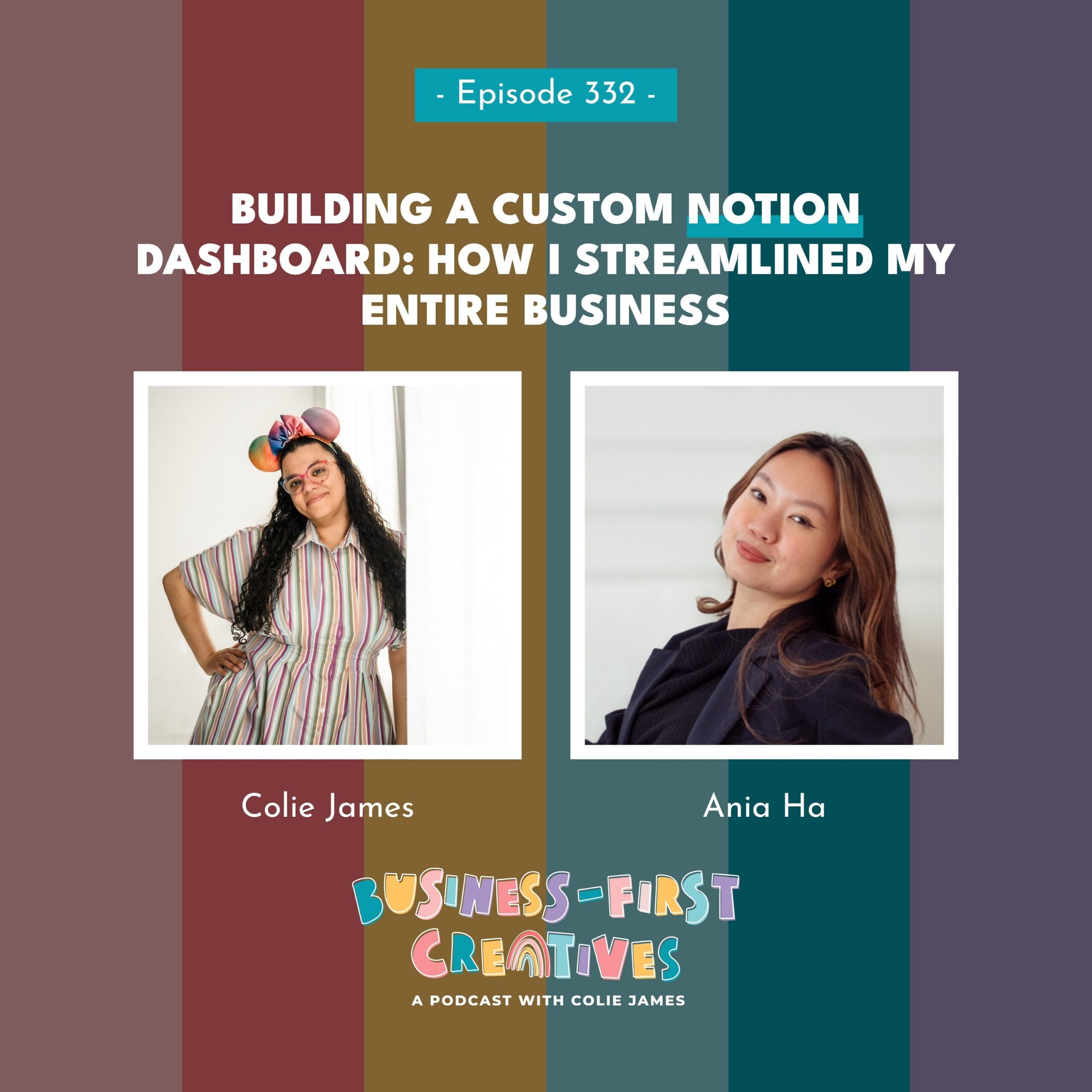
In this episode, I’m joined by Notion consultant and workflow strategist Ania Ha to pull back the curtain on the custom Notion workspace she built for my business. We talk about everything from team management and automations to the growing conversation around replacing traditional CRMs with personalized systems built in Notion.
I share what it was like hiring someone to build my systems for the first time, how that experience completely changed the way I think about my own clients, and why I believe the best tech stack isn’t always the one with the most features—it’s the one that actually fits the way your brain works.
Review the Transcript
Colie: Hello. Hello. Welcome back to Business First Creatives. Okay, so today I am bringing on another one. I mean, she’s not a team member, or I guess maybe she was a temporary team member. So if you’ve been listening, you might remember that a couple months ago I expanded my team a bit and I realized that the way that I was communicating with my team. Was not efficient and was not going to work going forward. And so I started looking for solutions and one of the softwares that I had always been intrigued about and could just never figure out how to use it was notion. So I did a Google search. I looked on threads and I found Ania. Now I wanna tell you, I didn’t reach out to her directly first. I was still contemplating whether or not notion was something that I wanted to move to. But then as it happens on threads, someone else posted. Literally my thoughts guys. They were like, Hey, I mean, you know, I’m thinking of switching to notion. I don’t even remember why they want a notion, but Ania ended up responding to that person on threads and then I responded to her and I was like, Hey, I was literally looking at your website yesterday and I almost reached out. Should I send you a thread DM or should I reach out on your website? Then we got to talking and you know, however many months this is later, four months, I now have a fully built notion dashboard. And so today I’m gonna talk to Ania about creating my Notion dashboard. But also we’re gonna get into the topic that I feel like is really hot right now, which is thinking about moving away from a traditional CRM like Dubsado. HoneyBook, even some of the other tools to make your own CRM in software like Notion or Airtable, and what that really means for you as the user. Ania, welcome to my podcast.
Ania: Thank you so much for having me on Colie. It is an absolute pleasure and I am so excited to talk everything about Notion and a personalized CRM and how basically we can make it work.
Colie: Hmm. Tell me about how you got started in notion, because I literally don’t know. So I mean, I have, you know, origin stories, if you will, about how I got into Dubsado Airtable, basically all of them. But like, how did you become the notion girly?
Ania: Okay, so my Notion Law Girl actually started when I started freelancing as a social media manager. So at the end of 2023, I was looking for a way to manage my own clients, social media, and you know, we boot you up. A marketing hub has so many components, so I was like, how can I manage the calendars, the meeting notes and everything for my clients?
And I found notion a perfect way for like create my creative brain to build it how I like it. And I absolutely fell down the rabbit hole. And since that rabbit hole, I was like, you know what? I, I enjoy marketing, I enjoy content, but do I love it? Not really. So I completely decided to pivot my whole business, uh, into becoming a notion consultant and workflow strategist.
And here we are. And since then, I built like the templates, the tools for you to make notion pretty, very aesthetic, but also efficient.
Colie: I mean, but I think like that is where people struggle with all tools, and I’m not just talking about notion, I’m talking about all of
them. Is that there are often so many features that people are like, no, like that software is so confusing. And I’m like, but you don’t have to use all the features. Like you do realize that, right?
Like you are
making it confusing because I often hear this with like Dubsado, when I’m trying to convince people not to get like cheap CRM software, they’re always like, but
it’s so easy to use. I’m always like, well, if you only want to do what that CRM can do, you can use Dubsado for that and you just won’t get all of the other benefits like you are making it complicated. If you only want to do something very simple, then just stick with something that’s simple. But for me. Looking at Notion. Notion didn’t have the same capabilities that Airtable did. At least it didn’t. When I first like looked into it, all I saw was like that. It had a gazillion pages and I couldn’t figure out where any of the buttons are.
I mean, I still feel like that guys, when I have a question, I send aea. I mean, I don’t know what I’m gonna do when my support is done, but I send her little notes and I’m like, um. Can you make me a video and show me how to do this? I will
say I am not a notion expert. I will never be a notion expert, but I do feel like I can be a little dangerous inside my own dashboard.
Like when she was still building and I was like, oh, I want this. I would just go attempt to build it myself. And I was like, you know what? If, if my clients did that to me, I would cuss them out. So let me stop. So then I put it down and I started asking Ania to make the changes, but. I did know that you used to do social media, and that makes perfect sense because the way that I found you for notion was through your, template that you created, the one that has the widget. Tell me about the widget. I.
Ania: Tell me about the widget. Girl, I kid you not as a perfectionist and someone who lives for aesthetic, I was just like spending hours to plan grit for my clients when I was managing the socials. But also as a founder, when you start the online portfolio build, like even though you think people don’t judge you, we.
They do judge you at the end of the day and think like, will you fit with the kind, like the brand vision or even the brands that might want to work with you? So why I, again, was really obsessed of finding the thing to just make my life easier because why was I switching to three other apps to just plan this silly little thing?
And I just couldn’t find one inside notion. And I know there are auto versions right now, but at the time when I started, nothing like that existed. So I started with pulling in my two close friends that are like the tech to tech guys. And I was just like here trying to be like, oh, can you make me this out of a thin air?
And they absolutely did. So we start with a prototype and then obviously I did wanted to like find a proper team to help me build this out. But yeah, the response been amazing. We have now 1800, people using the widget and
Colie: Holy shit. I’m sorry. I, okay, and I’m just gonna cut in because I real, I, I feel like you are talking about it and I didn’t explicitly say what it is and you haven’t either yet. So guys,
she has an Instagram widget that she built
specifically for Notion. And so inside of like this planner that she sells you, you can actually see. What it would look like when you are posting to Instagram. Now I have that in Metrical, but I mean like, you know, that’s a big piece of software to plan and of
course it has limitations, but continue. I just wanted to make sure that everybody knew what the widget was and Holy shit. 1800 users. Okay, continue.
I’m sorry.
Ania: Yes. 1800 users because, what, like we all seems to strug struggle with that. And content like notion is really powerful when it comes to content creation and especially for people who are just starting, like you don’t wanna pay for another software. So a lot of times they are able to use Notion to do that.
So now you know through the widget, they’re able to upload the videos as reels, multiple carousels. But also recently we launched a new feature, which is like upload your Canva link into your Notion calendar. The widget will show you that. So it’s just basically, you know, I just have to have a visual thing on my side and it just makes client approval easier, your planning easier, and you also feel more motivated to actually do the content because it triggers that.
Like do a minute of like you adding something and seeing it on the side. For sure.
Colie: Yeah, to like plan. I mean, I am
no longer on Instagram, but when
I was posting on Instagram, I mean I was obsessed. I mean, it’s actually why I chose Metrical in the first place. Like that was one of the only planning softwares at that point that would let you plan your grid and also let you upload to like all of the channels.
Because some of them will do just Instagram. Some of them will
do, I don’t know, Instagram and maybe Pinterest, but like mine were YouTube. Now threads
and then Instagram at the time. And so I was like, no. Like I need to be able to, you know, post to all of these at one time, but I’m going to move us away from this conversation simply because I didn’t hire you to help me post my social media. I hired you to help me manage my team.
So I am a little curious. Because again, you have like a wide variety of skills, but what is like the most common reason that someone comes to you to get a custom notion built? Is it for like team management, marketing dashboard, which is what I hired you for,
or do they come to you for something else?
Ania: So actually a lot of the times, the people that I’m working with have been using notion for a quite long time. Or even some, some people just starting, but they don’t feel like it’s streamlined enough or they have everything they need and like nothing is talking to each other as it should be.
Um. So a lot of the times they come to me, they’ll be like, Anya, I need your help. This is not working the way my brain works. Can we, can like have a call to make this basically happen? So a lot of the time I would work with them to give like a full, uh, workspace makeover. That’s one of my service that I call it to, revamp the notion to manage their team better, to manage their clients better.
And also, you know, from the CRM to client portal. Then your finance hub is also interconnected, and on top of that, you know, you can have your notes and marketing dashboard in one place as well. So essentially building a hub for everything that you need to run your business and manage your team and clients.
Colie: Yeah, I mean that communication bit is really important because I was on Andrea Jones podcast. It was actually, there were four of us. We were doing like a, an episode where we were, we were all tech specialists and we were all basically talking about our love of Airtable. But I will never forget. We were discussing Airtable, and I said, no, you should just be sending those emails like through Airtable. And Drea stopped us talking. ’cause we were all, I mean, we were all talking about basically doing what you set up for me and notion,
which is you connect your Gmail directly to the tool and you can send emails through your Gmail and not an external tool. But at that point Drea didn’t know that and she’s like, no, wait, like stop talking.
What do you mean sending emails through Airtable? She’s like, I think she mentioned Send Fox or one of those external like email
marketing programs at the time. And I was like, no, no, you just connect your Gmail and like we literally stopped record like we’re showing her so that she understands and she was like, oh my God, I had no idea that it would do that.
And so I also feel like that is a underutilized, thing inside of Notion that a lot of people might not know is that, yeah, you just connect your Gmail and then if you need to send emails to yourself or you need to send emails to your team, or in the case of me, if I wanna send emails to my potential podcast guests, that can all be handled inside of Notion without Zaps, without like any of those other things.
And so, I mean, I just feel like that is a feature that a lot of people just don’t know about.
Ania: No, I feel like, I mean, each platform is always dropping a lot of new features and we simply as founders just don’t have time for that. And I do agree, you know, the simpler you have it the better because the tech overwhelm can be real. But, uh. working with an expert is like, that’s where you see the difference of like someone guiding you of like what you can actually be using within your system.
For example, you know, when you ask me, you know, uh, can this be in from replicated in notion, well, I’m like, this can be, this cannot be, but we can find a workaround and that’s how, you know, we can manage your whole podcast management like. Workflow within Notion, and everyone gets notified when they need to, and guests get invited from this.
Just one subscription, right?
Colie: I mean, and you know, I’ve already said on a previous episode, and I’ve shared them with you. I don’t know if you
Ania: Yeah,
Colie: I did share them with you.
Ania: I did. I did.
Colie: it was, it was very troubling and also very humbling for me to
hire you, because I’m the person that usually sorts people shit out.
Like they come to me and they’re like, well, you know, my current CRM isn’t doing these things. Cooley, what do you recommend? And you know, I tell them, and then I build it
very similar to the way that you did for me and notion. But I think from my perspective, I have never considered that my clients don’t really understand what the tool that they have is capable of. I’ve personally never experienced that. I knew what Clickup was capable of, even though I could never use Clickup like I tried so many times and it just didn’t work for my brain. I didn’t like the layout, I didn’t like
the limitations. It was just, it was not for me. But it’s not that I didn’t understand it, it’s that I didn’t like it.
And when it came to Airtable. I mean, I can do almost anything in Airtable or it’s that I know that it’s capable and I just need to figure out how to do it. But the difference was when I came to you to help me with notion, it was really the first time that I ever thought to myself, wow, this is what my clients feel like because they have no idea what the tool will do for them.
And I am like explaining it to them, showing them, and then building it. And I was like, I came to you. And you know, we had our first call before I hired you,
and I basically showed you all of my things and I was like, can you do this for me? And notion? And you were like, yeah. And I was like, okay. And then the back of my mind, I’m like, okay.
She said, yes, but I still don’t know how she’s gonna do it. Like, I don’t understand. And then, you know, it took me a while to hire you just because I was traveling, I was busy, but
part of it was also. I mean, I showed her my things, but like, is there, are there other things that I’m gonna come up against that I didn’t remember to show her?
And then we’re gonna get like, you know, knee deep in this build and all of a sudden I’m gonna ask her something else and she’s gonna be like, well, no. Like we can’t do that in Notion and I’m gonna be like, oh my gosh, we just did all of this work and it can’t do this one thing. So, I mean, I really appreciated hiring you because for, I think the
first time ever I actually felt like one of my clients and I was like, it made me think of how to approach, like explaining things to my client a little
different. It also made me think differently about how they use support because again. A couple times I hopped in there and I tried to do some things and you were like, that’s not how you do that. And I was like, okay, uh, can you fix it? And then can you send me a video so that I know
Ania: Yeah.
Colie: in the future? And so, I mean, I think you swatted my hand like twice and then I was like, okay,
I’m gonna stop.
I’m gonna let the expert do it. But I mean, it was amazing working with you because for the first time I really felt like what it was to explain to someone what I wanted a tool to do.
You went and built it and then you explained to me how it worked. And then, I mean, I don’t know if I’m your most difficult client Again, I feel like one of my clients, ’cause they say that all the time, but like there were a lot of things that you built that were great. But after you built it, I was like, oh no, but I also need it to do this. And then you ran off and made that, and then I would be like, oh, and can it do this? And then you ran off and made that. So like there was a point where I was a little worried about going outta scope. I was like, I keep telling her I need these new things.
But I will say, out of the whole Build Girl, the things that I asked you for at the very end. Are probably my favorite things that you built me. Like the whole create the projects for me so that we could manage those individual projects. I was like, uh, this is so cool. And also the message log that you created for me. So guys, I had her build me a lead tracker. I have talked to Kelsey McCormick from Coming Up Roses about lead tracking when you’re in a launch talking to your people, and I had this idea for what I wanted mine to do, and in Airtable it was basically just filling out a form and it connected, and then I could count how many. Messages I had sent somebody, but I didn’t know how to do that in Notion, and I told an and she just ran off. And then she was like, Hey, it’s live. Here’s how it works. And I was like, oh my God, this is the best thing ever. So I think my question to you is, how often do you get awful clients like me that like you build them this thing and they’re like, oh my God, but can you also do this and can you do this and can you do this?
Ania: I, I think for me it’s like, I love when I could see in my clients, like, starting to understand notion and. Kind of like slowly, um, visualizing like what you actually want in there because the devil is in the details. At the end of the day, I want to create, , a system for you that you’re gonna use for years and grow, grow with it, instead of just something that is like.
Just standardized, uh, template that you might not, you know, even understand. So I think even though those little questions, like I appreciate those questions because it means you’re using it, it means you are making the most out of it, and you are actually utilizing what I build for you, and you’re just adding those little things that just gonna make your life easier.
So I guess, as you said, I kind of like run off. And make things happen. And it was like, okay, this is how you do it in notion. But you know, in my brain I was like, okay, I know how to make it simple for her. Something that works, I’m gonna get the job done. So it’s nothing over complicated on my side that I have to go, you know, lengths and lengths to do, but it’s something I know it’s gonna help you so much.
And I’m like, okay, let’s just have this, set it up, because I know she’ll appreciate having this right.
Colie: And the, the, I think the thing that, made me laugh was I. I will say it’s more recent. I think a couple years ago when people came to me to build their Dubsado,
I basically automated everything that I could because I knew that, you know, what it was capable of.
And what I found in some cases is that I did too much for them.
Like
I, I’ve come around in the last like year or two to tell people no. No, no, we’re gonna start with this and then in
six months, if you want more, then we can increase it, we can modify it, we can, you know, basically add this. And it’s not even that I’m telling them, they have to come back to me. Like, I will explain to you how you add this when you are ready, but like, I don’t wanna give you something that is fully built that you are not ready for,
because I want you to use the system. I feel like I came up with that with you and this, I, I don’t know if you’re gonna laugh or if you’re gonna be like, no, Chloe. The one thing that she kept telling me during the build was, I don’t wanna click to like five different places to get to something. So I’m like, no. When I get on this one page, I want to see all these things. And she’s like, but that’s getting very cluttered. I’m like, yeah, I, I, I, I don’t care. Like I need to be able to get to this from here without going back three clicks. And so I feel like when we finally discovered the toggles, that was like our compromise together
Ania: Yeah.
Colie: that you gave me all the things. But they could be collapsed by default, so that if none of my other team members needed to be able to see the projects on a particular page,
but I wanted to be able to see them, then I could just toggle them on and see them all, because I think that’s the thing that I still find. I mean, messy is maybe a word, but the fact that like in notion, I feel like even though everything is together, even though it’s centralized in a hub, I do find myself having to go to like multiple pages to find things when I’m like, no. Like for example, when I’m on my podcast,
I want to see all of the tasks related to the. To the podcast. I don’t wanna have to go back to the main dashboard to see them. And so that was something that you and I worked on together is like, no, like on each of these individual pages, I want to be able to see this, this, and this all related to this particular project, particular aspect of my business. And so I felt like in the end that you were okay with the fact that there were all of these things on here as long as we could hide them in the toggles.
Ania: I was like, the toggles were our savers and like color coding them and making them pretty was like, okay, this works for Colie. I think I had the moment was like, uh, this works for Col this is her build, so I’m just gonna make it the way she wants it because at the end of the day, obviously you are using it and she wants to see everything.
And I’m like, that is totally fine,
Colie: I know and you’re
Ania: GG.
Colie: Yes. Yes, but I love them and I use them every single day. Girl, I’m telling you, like I use them
every single day. Now I don’t really know how my team feels about it. And I told you in the end, I don’t care. Like Kara I ended up making Kara and I don’t even know that she’s still using it, but I made Kara her own page and
all it had was literally. The two things that she needed, and then
plus I added this new one, which I mean, I, I could have come to you and so maybe eventually I’ll show you and be like, uh, was there a better way for me to do this? I have Kara hired for a certain number of blog posts, a certain number of emails every month, but we are constantly going over.
And my thing is I just wanted a way to easily track it so that I make sure that she’s actually charging me for the extra things that she does every month.
And so now I set up a, uh, bill Colie database, or I, I guess it’s database
every time she is the editor. It gets marked done, it gets copied into this Bill Colie and it’s formatted for a month.
So like for example, last month she wrote, I think it was 13 emails
and three blog posts. And that’s not what I, you know, that’s not what I usually get from her. So then I can look at that at the end of the month and be like, okay, she wrote this many extra emails, she wrote this many extra blog posts. She can bill me and I make sure that I pay her.
And I’ve, I’ve threatened
that, you know, if it’s like the fifth of the month and you haven’t billed me, I will just go bill myself. I mean, that’s one of the benefits to being in her Dubsado. I could literally go write myself an invoice and then just pay it. But like that was one of the things that I kind of threw in there because I wasn’t sure if it was needed, but I was like,
oh, let me see if I can make it and see if it works.
And like that was also one of the points that I was like, okay. I think I actually really get this now. Like
I’m not, I’m not you, but I get it enough to where if I needed to like tweak something, I can do it.
Ania: Exactly, and I think that’s amazing because technically you are just starting to play with notion and move in like span of few months. You are like absolutely going. Crazy adding what you want, and I, I personally love that as someone who kind of feels like converted you slowly into this notion world for you to be able to add and also utilize automations to kind like.
Create the database yourself and the fact that you put it in a database, I give you like extra points for that. ’cause everything you need, always put it in a database so you can have everything, you know, use any filters that you want and uh, find the information that you need. Or you can ask notion AI to find the information you need as well, which is amazing.
Colie: I mean, I, I think that it was kind of like a perfect storm, if you will. I was expanding my team when I
decided to use Notion and I had just hired Chelsea. She uses Notion, but that’s not why I chose Notion, like it had nothing to do with her. But like I was in a program from Holly of Latitude Lane. The, it’s called something different now. The Subscriber Society. There we go. That’s the new name. It was
called something else when I joined it, but she basically gave us a newsletter planner. And I was like, this thing is so cool, but I don’t understand how to use it. Like I,
I liked it and I was like, oh my gosh, I would like to do this and this, but I don’t like this part.
Like, I was immediately like tearing it apart. Sorry Holly if you’re listening to this, but like there were bits in there that I was absolutely in love with
and it was the same thing with Kelsey McCormick’s planner from, launch Your Own Way. Like there were parts in there that I absolutely loved, but I couldn’t figure out how to make any modifications.
And so that was when I was like, okay. If I could understand notion, I think I could get something created that I could use. But then at the end of the day, I mean, I was in the middle of a launch, I had, uh, what was it like 14 people signed up for systems in session. I’m like, I cannot afford to go down a rabbit hole of trying to figure this out myself. And so that was really like, I was like, no, if I’m gonna switch to notion, someone has to build it and that someone was you.
so now I think I wanna move over to like talking about what else we were gonna talk about. ’cause I really did wanna talk about the first part of this episode dedicated to you and how awesome you are at Custom Built and how amazing my new dashboard is. But the other part that I wanna talk about is, and I don’t know if you see it from a different perspective based on who you follow on threads, but for me, HoneyBook raised their prices. Dubsado
raised their prices all in the last two years. And so there have been a lot of people that are like, do I really need a traditional CRM?
Like what is it giving me that I couldn’t get? Although the most popular one right now, actually, let’s start with that. Have you seen the threads where people are like, can I just use Google Workspace as my CRM?
Ania: What?
Colie: Oh my gosh, you
Ania: No,
Colie: these? Okay,
Ania: I been, no on the side of the fret, I guess.
Colie: Yeah, so the thing about Google Workspace is they’re constantly adding features now.
So like now you can get a signed in quotes, contract through Google.
You can now use Google to schedule your meetings. I know you, you use Notion, it’s kind of the same thing. It’s like you go to your Google Calendar, you set up like a type
of appointment that you wanna book it.
It’s honestly exactly like what you do in Notion,
but so. All of a sudden there has been this movement to, well, I’m already paying Google Workspace for this. Can it become my CRM? Now, I, you, you and I are both looking at each other like we’re crazy in case you’re not watching on YouTube guys, but. I do feel like that is the same conversation that people are also having related to using notion for your CRM and using Airtable for your CRM. So first I wanna ask you, you do use Notion as your CRM. Have you ever had a more traditional CRM or have you always used like something custom that you created in Notion?
Ania: So actually I think back what I just said before about. Not knowing what you mean by like Google, CRM. Actually I’ve been a girl who customized her CRM from the day one and actually used Notion Google e-signature, through like third party app with Zapier. So those three combo made me my whole custom CRM and, but yeah.
Everything to track the clients to, you know, my Ries go into the notion CRM to send emails to trigger invoices and contracts happens through my notion.
Colie: So you’ve never had a traditional CRM. So when you
first started your business, what prompted you to kind of, I mean, the term that a lot of people use is. Frankenstein, I’m not gonna say duct tape ’cause I feel like you might be offended by that, but like, what is it that, what is it that prompted you to kind of build your own
instead of looking for a piece of software that would do, and I wanna say, like when I’m talking about A CRM, what I’m
mostly talking about is managing your leads.
Getting a signed contract, getting a paid invoice, and then doing the client communication. Those are the four main things that I see a CRM doing. And then of course, you know, depending on what you’re using, you can get more features. But like,
those are the four things that everybody
looks for in A CRM.
Ania: I think mainly when I was just starting, I mean, not only as a fo a founder, I had so many. Things to juggle on my plate. I was like, damn it. Now I need to find, like learn another like platform to just manage my client and a lot of the times when you are just starting, you just need something simple and yeah, I may be like, send out some invoices as PDFs.
It wasn’t as beautiful and streamlined, but. At the beginning it’s like, it is gonna be fine. I don’t think like a lot of the clients, if you have a clear communication and syn, no time, they’re not gonna have. Issues with that. Obviously you want your client experience to be top tier, and this is what I do now for my clients, but sometimes when you are just starting, simple is better.
You just need to track who’s your potential lead, who’s your hot lead, cold lead, and keep on track like when you following up with them so that. Back then, like Notion was genuine everything you need because everything that I was doing for my business was already in Notion and I was, I was already paying for that, this subscription, so I just wanted to make the most out of it.
Colie: And so you mentioned, uh, Zapier is how you were getting like people from the signed contract in there. So at what point did you learn how to use Zapier? Because the thing that I always come across, and it’s
funny when, when there was the movement to kind of create a CRM out of Airtable and people were like, oh, Colie like, can you do this for me? I’m like, yeah, but I, I don’t want you to do that. I’m like, I could use Airtable as a CRM. I was like,
I could build one for you. But I worry about what happens if something breaks. I worry
about what happens if, if the automation doesn’t fire properly and you don’t notice and or you have no idea how to fix it.
So the thing that I tell my clients, because they’re all. They’re not very tech. I mean, they’re mostly photographers and so
like they don’t like to play with things like you and I do.
I was always like, if something breaks, I want you to know who to go to.
And I’m like, when you put together your own CRM and Airtable where you’re managing the leads and Airtable, you are, you know, using a Stripe integration or whatever it is that you’re doing for
your invoice when you’re sending emails, you know, whatever it is that you’re doing, and something breaks. Who is your customer service? And they’re like, what do you mean? I’m like, it’s four different platforms. You’re using them really for something that it wasn’t intended to. You’re putting them
together so when it breaks, who is your customer service? And they’re like, well, you. And I’m like, I don’t think that you’re gonna be happy paying me to fix something every single time.
So I mean, that is why I tell people a traditional CRM is good for a lot of business owners, but not
people like you and me because we like to play with shit.
Ania: Exactly, and I think that’s what people sometimes need to realize. Like I’m all up to like maximizing your two current to stack and taking, like, making the most out of it. But if you don’t have time and you don’t have, uh, kind of like. The tech background to really like go in and tweak whatever you need within like few minutes.
It’s like it is gonna take you more time to figure this out. So yeah, like Frankenstein, it is fun until you have like five other leads to, uh, on, onboard to and send clients and contracts within seconds. Right? So. I’m all up for personalized custom cm, but also you have to know your limitations and also how does your business operate.
I think that’s the most important thing to like make sure if you are not under utilizing your current cm, then maybe you might think about kind like scaling back down. But if you are growing your business, a lot of times it’s like you do need a proper CRM because that’s what gonna also scale your business, right?
Colie: And also making it easy for the client. I find that that, you know, if you’re giving it to your client and it’s all in one tool, that’s going to lessen the confusion on their part
versus, I mean, and I think what just really kills me is when people tell me that they want to dump their traditional CRM to save $40 a month, and I’m like. Do you have, do, do you realize that’s how you get paid? Like the $40 a month that you’re spending
is getting you paid faster. It’s getting your clients from like inquiry to booked
in less time than it takes you to go and like finagle everything to send. I’m like, and at the end of the day, like that’s the part that I care about.
I want my money. Just
run me my money and then we can worry about the rest later. And I am seeing an increase in people who are using traditional CRMs to manage their leads and get booked, but then they’re taking them to a tool like Notion, Airtable, Clickup, I mean, even Kitchen at this point. People are using those to actually manage the client and the client experience and that
part.
Are you seeing that as a notion, girly.
Ania: no. I mean for the past, like even this year, this year’s build, a lot of them is actually, you know, having client portals and client management within Notion because they just found that. The fact that they manage their all like whole business within Notion. They prefer using Notion as a way to manage their clients too, and keep the communication and the work.
So yeah, I feel like I’ve built a very fair share of client portals and people are just making that shift. I think for a few reasons. It’s just like the ease. Of having everything in one place maybe, and not having to switch between the tools, but also if they are familiar and more comfortable with that, then just like, oh, let’s just.
Make the most out of it. And within notion, when you invite your clients, for example, or you’re just working with like contractors, you not always have to pay for this seat. They just invited as a guest, which is a huge thing because I mean, I work like with different industries, but I had someone like build a fully custom wedding, notion.
Workspace and including client like dashboards because they were paying for each, kind like client that was using the other software, which was a lot because you usually have to add at least two people to manage this client this wedding. Right. So I see a lot the shift of just making sure that like, people getting the most out of their time, but also money by just like, kind of like being creative the way they use their tools.
Colie: No, and I mean, I, I really think
that’s worth saying again, especially those who follow me that are only familiar with the Airtable guys, I’m not paying for anybody in notion like I pay for myself. I’m currently on what plan am I on, girl? The business plan, the one that
includes the AI. Yeah, so that’s me.
I’m paying I think $20 a month, which is what I was paying for myself in Airtable. But I am no longer paying for Sarah and like I don’t have to pay for my other four team members. All of them are free and all of them get to comment and all of them get to post. It’s.
Amazing. Because the only way to do that in Airtable would be on a completely free plan, which limits your automations.
It limits some other things. Or I would have to pay $20 a month per user to do the same things that I’m doing now on Airtable.
Although I guess I would argue it’s not the same things because there was no way to centralize everything, like
all of the different hubs. ’cause you took all of my hubs. Brought them together in notion and made them talk to each other versus in Airtable, they were all separate.
I mean, they were all amazing, but they were all separate. All of them.
Ania: Yeah. what is actually your favorite part? Like that they now talk to each other. Have you saw the difference on, like, you working with the team now that can, like everything is more streamlined and it connected and your offers are connected to your podcast episodes and everything like that?
Colie: So I think the, the entire communication bit, even though you rebuilt it for me or you
created in a notion, I was already doing that in Airtable,
so that wasn’t like the new part. To me, the new part to me was that now everybody is actually on the space because in Airtable, when I was managing the podcast on a free plan.
Everybody had access, but when I moved it to my paid plan, the only user that I was paying for was Sarah because she needed to do things in multiple hubs that I had on my paid workspace now for Haylee and Kara. So, um, podcast producer. Blog writer, they were doing a workaround. They could not directly comment on anything.
They had to click a link and basically a form would open. They would like submit what they had
done and then Airtable would update it. It was a workaround so that I wasn’t paying an additional. $40 a month for them to basically just click buttons. But
I mean, what you created was awesome. I just, I was already doing it in Airtable.
So for example, when I am inviting a podcast guest, hello, I put in a record that’s like your name, your email, and what I wanna talk to you about. And then I changed the status to be invite new guests, which would be you. Or this morning I invited Zoe Dew to come back and I clicked invite, uh,
previous guest Returning. guests.
There we go. See you even know the names. I clicked invite returning guests so that the email that she got was different. It didn’t say, I would love to have you on my podcast.
It said something like, I would love to invite you back to talk about this this time. Do you wanna come back on my podcast? So they automatically get the email.
Then that email has a link to schedule in Tidy Cal. I looked at the Notion scheduler. I’m not ready to do that yet. It didn’t have enough function for me, but I mean, eventually I might do that. But we’re currently sending ’em to Tidy Cal, or no, actually, I guess we’re giving them the form first. Now are we? See, I don’t even remember the order that we, that we finalized.
Ania: We have it more flexible. It’s like two ways. So they either book they first or they do the form, but it come like two separate, basically automations, because some people can do this, uh, I guess some people that are returning guests, they might already have the bio and get a questionnaire so they don’t have to do that.
So we have it separate. Yeah.
Colie: Yeah, we have a Sep CI mean, she gave me two different versions, guys. So they schedule and then they fill out the form. But all of that information comes back into notion just like it was coming into Airtable. And
it changes them from invited to scheduled. And then when I finish recording, if I’m ready to give it to Haylee to edit, I will just skip record it and go straight to ready to edit.
But if there’s gonna be any kind of delay, like today, I have. Several interviews in a row, so I’m not gonna get a chance to like send it every time. It’ll
go to a recorded status so that then I change it to ready to edit when I send it to Haylee. But Haylee gets an email. Haylee gets a notification that says Colie has recorded this episode, and it pulls in the name from Notion.
It’s like it should be ready to publish on this date, and it pulls it in from Notion, and then it gives her the links that I’ve put in there, which would be like where the episode has been uploaded into Descript and those kinds of things.
And so, I mean, that part is great when she’s done.
She says that it’s scheduled, Sarah gets a notification that’s like, you know, go create the guest assets, go notify the guest that it’s going to be published.
Like all of these things, and I don’t have to do anything. I will also say the main reason that I wanted notion was so that Chelsea could take me out.
So every once in a while I’m peeking at the tasks and I see a task for Sarah, and I’m like, I didn’t make that. And I open it and I’m like, oh. That was Chelsea. So I love the fact that now Chelsea can go in there and can
assign like emails for Kara to write. She can tell Sarah to do updates on my website and like. When they finish it, they’ll click Chelsea to review, and then she gets the notification, and then if I need to review it before it goes live, before it goes
published, she will change it to Colie to review.
I mean, so the statuses that you created are working and they are amazing and they are largely taking me out of the equation,
which I love.
Ania: I mean, yeah, you’ve been doing so much, so I think at least, you know, love the fact the, the whole purpose of automation is basically removing you out of this whole, process. We can do more stuff that you love, like recording the podcast.
Colie: And I am, like, yesterday, I, what did I do yesterday? Girl? I added something to the automation. What did I do? It was something when, when a task, oh. Ah. Maybe you’ll be proud of me. So I wanted to have a record of when a task was completed, which I didn’t have that in
Airtable, but I was like, oh, I could go ask you, or I could just do it myself.
So I created a new property that’s the right term, right
property, new property called completion date, and now when someone clicks it as Colie to review. It adds it to the completion date. ’cause technically it’s not that I wanna know when it was completely done. I wanna know when they sent it to, you know, when their
part was done, if you will.
So if they choose Colie to review, or Chelsea to review, it puts the completion date,
or if I’m marking it done,
that’s the completion date. So that was what I did yesterday. Did I do it right? Did I, did I do what you would’ve done?
Ania: You did exactly what I heard down, which is amazing, and I love, you’re like, oh, lemme build this.
Colie: Let me just build this real fast. I mean,
and honestly, I haven’t really dived super deep into the automations,
but one thing that I did realize is that I feel like. automation capability. Airtable Girlies don’t come after me. But there was something that you showed me in one of those videos and I was like, Airtable could never, I don’t even
remember what it was, but there was something that you did in the video and I was like, oh, I’m gonna have to go explore that more because. I don’t think I ever could have done whatever it was that you showed me in Airtable. Now, I mean, on a scale of Airtable expert, I’m probably only a six seven, maybe a seven and a half. So I mean, you know, again, Airtable people don’t come for me. But when you showed that
to me, I was like, oh, that, that just made me think of like other things that I could do.
And again, I can’t think of what it was now, but I remember being like, oh my gosh,
that is something that I should go back and look at when I have time.
Ania: Oh God. Now I’m really curious what
Colie: When I figure it out, I’ll send you a little note. I will send you a, you know, a i, I mean I’m sure my portal is gonna disappear soon, but I have your email.
Ania: Please do.
Colie: I’ll send you an email. Well, is there anything else that you want somebody to know about using Notion for their business? Considering switching tools to notion
like is there anything that, like you’ve built something for someone and they have told you that like. This is why Notion was the tool for me that you think might help other people make a similar decision.
Ania: I think a lot of the times, again, touching on the, uh, us as a founders who. A lot of times we do live, like you would have notes here, Google documents here, and some air table here and there. The notes in your phone app.. The biggest change and transformation I saw within my clients, like being able to see everything in one place with notion, it kind of gives you that feeling like, oh, I wake up in the morning, I know what’s going on.
So you can build like. For that big vision, right? Instead of staying stuck on those, small manual tasks that can be done with like little automations that you mentioned. Like every person gets a notification when they shoot. And even with, you know, it’s nothing complicated, but it changes so much, uh, that you are removed from the equation of having to manage every aspect of the business.
So if someone would be considering. Notion for their business. It, it’s been great to act as a source of truth for, you know, the part of the business you are managing. It can be the whole business, but it can be also small things like even the marketing hub, but being able to create like a place for you to.
What we did, like manage launches, manage the project that you want to launch, but might be just in like a planning phase, but at least you have a space to do it. So it’s kind of like acting. A lot of times people say, you know, notion build your second brain. Ultimately it is like your second brain because whenever you are ready to launch that idea.
Create that new podcast. Everything that you need to do to make this happen already lives in notion. So you don’t can just go and start it off when you feel inspired or you feel ready to do it instead of just like starting from scratch again. So, yeah, that’s, that’s the thing. It’s the beauty of notion and if anyone really considering is like, this is, this is the why.
Colie: I mean, and I feel like we kind of glossed over how pretty it is. Like you mentioned that, you know, I have the toggles and their rainbow. I mean, y’all, my dashboard is gorgeous. It, it is not the level of like show it where you can put shit anywhere that you want on a
page. I mean, let me just clarify. There are limitations, but when I think about what.
It looks like in Airtable versus the visual aspect of what it looks like in notion,
there is literally no comparison. Now, I will also say though, that every once in a while I’m like, I just wanna see the table. Like I’m used to just seeing a table in Airtable. And so I actually asked her, I was like, no, like every database, can you just make me one page that shows me every database that you built so that if I just wanna look at a table, I can just look at a table.
And guess what? I think she thought I was crazy when I asked for that, but she gave it to me and it’s in one page so that I can just go look. Like, for example, if I wanted to just look at the entire podcast database, not
filtered by, you know, who’s invited. What’s ready to edit, what’s coming up this month?
Although that was awesome. Like I didn’t, when you first did the what’s, you know what’s being recorded this week, this month. Like I was like, I don’t need all those views. But now I find myself like, oh, what am, especially on a Monday, oh,
what’s on deck for this month? Now? I don’t have to like go into it
and like look at the dates and in my mind figure out, I mean, what week is this?
What are the dates? I mean, I just wanted to say. All of Ev. All joking aside,
it is really beautifully organized. Everything is where I need it to be. And if I had to say that there was one thing that I got in Notion over Airtable, that’s what it was. I mean, because they both have automations,
they both have, you know, formulas.
They both have those kinds of things. But in notion. You can put it where you want it, you can organize it how you want. The pages can have particular information, exclude something else. And I mean, it’s not that I need it, but like you do it when you’re helping your clients is when she makes me a Loom video. You can just embed the Loom video directly on the page. There’s
no link to click to go to Loom to watch the video. It could just be in Notion. So, I mean, if anybody’s listening to this and you’re like, oh, I mean Colie, that sounds good. I think I would wanna consider it. Listen, I am happy to be her hype girl.
You guys contact me, I will tell you all of the things, how lovely it was, and then I will send you straight to her to get your own build
girl.
Ania: the tea.
Colie: I’ll spill all the tea. I mean, it was funny, I made a joke about this, but I’m like, I’m inviting you to my podcast so that we can record a case study episode for you. So I certainly hope that this was a good case study episode and if it wasn’t, I will record you a separate video.
Ania: No, you’ve been a fantastic client and absolutely loved working with you. And that’s, I think it’s like our creative brains just love, like being able to put what we’re like, what we want on the page and see it the way we like it. So it’s just like, it makes me really happy that, you know, you can open your colorful page every morning and just see what you need.
Colie: Or on my phone. I mean, I feel like we didn’t we didn’t even hit that. but the Notion app is also quite helpful for me
if I’m on the go. I mean, I don’t, yes, Airtable has an app, but I, I don’t feel like I ever really went into the Airtable app unless I was desperate. But like I do find myself going into the Notion app.
If I’m not on a computer, I don’t feel the need to go all the way upstairs to my office.
To get on a computer to do something, especially if I’m getting a notification for something, I can just go in there and like change the status or
whatever it is without getting on a computer.
Ania: Oh girl. We need to, we need to talk about like little shortcuts you can have even on your phone to do stuff in Notion.
Colie: Okay, so we’re gonna cut this off because she’s about to tell me all of the, all the tea on how to do that.
But again, I just feel like. All of us come up to a part of our business where we’ve been using these tools and they’re getting the job done. But if you need something more. Your current tool is not getting the job done.
I would encourage you to not only think about switching tools, looking at other options, but also chatting with an expert so that if you are unclear, if the tool will do what you want it to do. Ask somebody, don’t assume and don’t, you know, not use a tool because you can’t figure it out. There are plenty of experts for all
of the tools, and this is the one for your notion guys.
But if you go and you ask, they are happy to let you know if the tool will work. Because I know all systems, tool experts feel the same way. I do. I don’t want you choosing a tool. Trying to use it if it won’t do the thing that you want it to do. So I’m happy to tell you yes or no so that you can make a decision and either go forward with this new tool or go find something that will work better for your business. Alright, I hope that this episode has been helpful for you guys. If you have any questions, both of us are linked in the show notes. That’s it for this episode. See you next time.
About the Guest
Ania is a Notion consultant and creative systems strategist who’s spent the last 3 years helping founders build aesthetic, streamlined systems that support their lives. Through She Creates, she’s built custom Notion workspaces for 30+ clients, replacing the scattered spreadsheets, forgotten tasks, and “it’s all in my head” workflows that keep businesses stuck. Her passion for streamlining extends to building tools, too. She created the first Instagram Grid Preview Widget, now used by 1,700+ creators to plan their content visually in Notion.
Find It Quickly:
00:25 – Meet Ania
05:38 – Instagram Widget
09:17 – Why Clients Hire Her
13:11 – Learning Notion as a Client
19:36 – Toggles and Dashboard Design
21:47 – Team Tracking and Databases
25:45 – CRM Alternatives Debate
28:58 – Simple CRM Starts
30:18 – Zapier and Breakpoints
31:54 – Frankenstack vs Scaling
33:44 – Notion Client Portals
35:43 – Notion Pricing Advantage
36:51 – Team Workflow Automation
41:49 – DIY Automation Tweaks
44:00 – Notion Second Brain
46:23 – Design Views and Tables
49:39 – Mobile App and Shortcuts
50:26 – Ask an Expert
Mentioned in this Episode:
Notion: notion.com
Dubsado: coliejames.com/dubsado
HoneyBook: coliejames.com/honeybook
Airtable: airtable.com
Google Workspace: workspace.google.com
Zapier: zapier.com
TidyCal: tidycal.com
Descript: descript.com/?lmref=0HiLlg
Loom: loom.com
Metricool: metricool.com
Canva: canva.com
The Subscriber Society: latitudelane.com/subscribe-society
Launch Your Own Way: cominguproses.co/products/lyow
Connect with the Guest:
Website: shecreatesmgmt.com
Instagram: instagram.com/shecreatesmgmt
Threads: threads.com/@shecreatesmgmt
Tiktok: tiktok.com/@shecreatesmgmt


Signature Series


Your business works, but your backend is costing you.
A 4-Part Audio Series for service-based business owners who are ready to upgrade their “just fine” client experience, unlock higher pricing, increase referrals, and grow more sustainable revenue—without overworking behind the scenes.
Get the FREE 4-part audio training series
Systems That Sell


© 2022-2025 Colie James


